May 3, 2012
Marquis At Waterview in Richardson, TX.
You are probably visiting this blog post by searching for your new apartment at Marquis At Waterview.
As I am sure you have seen the endless amount of negative reviews for this complex online…Â Â I will let you know what my experience was.
posted in Random Consumer Items by admin | Comments Off
January 24, 2012
Unable to connect to the MKS: Login (username / password) incorrect
Check your firewall config/network setup
All “Unable to connect to the MKS:” errors are network issues. Do not be fooled by the mention of certificate issues…
posted in VMWare by admin | Comments Off
January 24, 2012
ESX/ESXi 4.0 /etc/vmware/ssl/
vCenter Server 4.0 C:UsersAll UsersVMwareVMware VirtualCenterSSL
For Windows Server 2008, C:ProgramDataVMwareVMware VirtualCenterSSL
posted in VMWare by admin | Comments Off
November 22, 2011
To make both connectivity to vCenter and clone operations function with NATd ESX service consoles:
1. In Vmware vCenter client, disable Vmware HA and DRS.
2. In Vmware vCenter client, disconnect the host. The VMs will continue to run.
3. Log in to the ESX service console via SSH and change to root.
$ ssh
$ sudo su -
1. Change the IP address in /etc/hosts to the public IP.
$ vi /etc/hosts
$ cat /etc/hosts
127.0.0.1 localhost
::1 localhost
33.33.22.22 esxhost.example.com esxhost
1. Verify the hostIP address is the public IP, and add preserveServerIp in /etc/opt/vmware/vpxa/vpxa.cfg .
$ vi /etc/opt/vmware/vpxa/vpxa.cfg
…
33.33.22.22
…
true
1. Restart the VPXA service.
$ service vmware-vpxa restart
1. Log out of the ESX service console.
2. In Vmware vCenter client, reconnect the host. You may need to re-enter the root user’s credentials.
3. In Vmware vCenter client, enable Vmware HA and DRS.
tags: VMware
posted in VMWare by admin | Comments Off
November 3, 2011
By default, the “ssh” command does not exist in VMware ESXi 4.1.
To create it, login as root and execute the following command:
ln -s /sbin/dropbearmulti /bin/ssh
posted in VMWare by admin | Comments Off
September 11, 2011
When updated VMware ESX 4.0 to 4.1:
Host was not updated, no changes required.
Skipping bulletin ESX410-GA-esxupdate; it is installed or obsoleted.
Encountered error RunCommandError:
This is an unexpected error. Please report it as a bug.
Error Message – Command ‘['/usr/bin/vim-cmd', 'hostsvc/runtimeinfo']‘
terminated due to signal 6
Simply type: ldconfig
posted in VMWare by admin | Comments Off
August 29, 2011
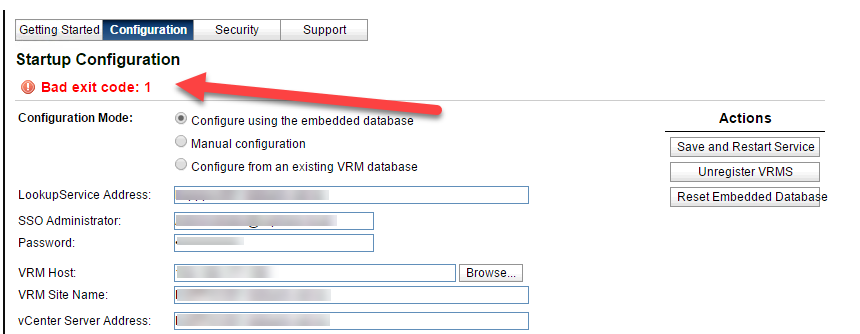
This error will appear when attempting to install VMware vCenter 4.1.
A work around for this issue is to create a system DSN.
Then open regedt32 on the server and go to HKLM > Software > ODBC.INI >
Update its driver to: C:WINDOWSsystem32sqlncli10.dll.
Restart the vCenter install.
posted in VMWare by admin | Comments Off
August 17, 2011
psql
With psql cli:
vacuum full;
also do:
reindex ;
posted in Random UNIX Related Items by admin | Comments Off
August 12, 2011
When running VMware PowerShell CLI you receive this error:
Set-ExecutionPolicy : Access to the registry key ‘HKEY_LOCAL_MACHINESOFTWAREMicrosoftPowerShell1ShellIdsMicrosoft.PowerShell’ is denied.
Right click powercli and click: “Run As Administrator”
Once powershell starts type this command:
Set-ExecutionPolicy RemoteSigned
posted in VMWare by admin | Comments Off
August 10, 2011
List off all the rules in order. This helps to see if an allow is overriding one of your denies:
iptables -nvL –line-numbers
Reject or Drop?
Drop means to drop everything at the interface and give no response. Best for port probes and the like.
Reject responds to the source. Best practices for TCP/IP
posted in Linux by admin | Comments Off